# Tutorial

This section describes the basic progression of the Closed Beta, which includes the following operational steps.&#x20;

1. Obtaining Monster&#x20;
2. Placement of Farm and Monster&#x20;
3. Raising Monster&#x20;
4. Participate in tournaments&#x20;

For details of each screen, please refer to the respective pages.

{% hint style="info" %}
The content of this page is the same as the tutorial in the game.
{% endhint %}

## 1. Obtaining Monster&#x20;

1. Go to Monster Association

<figure><img src="/files/2MEUq8zfSUXmWm0doEZ3" alt=""><figcaption></figcaption></figure>

2. Select Regeneration

<figure><img src="/files/XAoUDK8NRUnFCdiHF8Bh" alt=""><figcaption></figcaption></figure>

3. Select the source of regeneration&#x20;

* If you don't have NFT, you can choose Randam Hash.&#x20;
* If you want to use Genesis Hash or General Hash, select the button at the top

<figure><img src="/files/rAgZzDhIR9turG9U5GJx" alt=""><figcaption></figcaption></figure>

<figure><img src="/files/DbBj591nMQ6HDwWwddXv" alt=""><figcaption></figcaption></figure>

<figure><img src="/files/XWf6V4OHgyu0Zp70UZ3P" alt=""><figcaption></figcaption></figure>

4. Turn on the Regeneration ticket

<figure><img src="/files/SSea5HVeMFVIGanuxtZe" alt=""><figcaption></figcaption></figure>

5. Run Regeneration

<figure><img src="/files/KWMQHmikhsAmq4GRP718" alt=""><figcaption></figcaption></figure>

<figure><img src="/files/5nh7kIoFc2CLbY5l8vp5" alt=""><figcaption></figcaption></figure>

6. You can check the details of the born Monster by clicking the button on the upper right.

<figure><img src="/files/CCKii1ScdccSCHGpHhFY" alt=""><figcaption></figcaption></figure>

{% content-ref url="/pages/Cuk1SF5ScQBnxMIfzNq7" %}
[Regeneration](/play-guide/open-beta/monster-association/regeneration.md)
{% endcontent-ref %}

## 2. Placement of Farm and Monster

1. Go to Farm

<figure><img src="/files/IKHAS5PY32uTBGI3miz3" alt=""><figcaption></figcaption></figure>

2. Farm Placement

<figure><img src="/files/aeSNfmltpzVXlsCbsbaI" alt=""><figcaption></figcaption></figure>

<figure><img src="/files/FSjETOUQUH6CQaim1iKI" alt=""><figcaption></figcaption></figure>

3. Select Monster

<figure><img src="/files/ILWmeaPrBT7OXm92fNR8" alt=""><figcaption></figcaption></figure>

<figure><img src="/files/agsxJmxqE2Nx8DENP2nv" alt=""><figcaption></figcaption></figure>

4. Go to Raise

<figure><img src="/files/lkGN0o2AHGANOnVCsgSV" alt=""><figcaption></figcaption></figure>

{% content-ref url="/pages/R2wtZqhBVWvJMQmbomhP" %}
[Farm](/play-guide/open-beta/farm.md)
{% endcontent-ref %}

## 3. Raising Monster

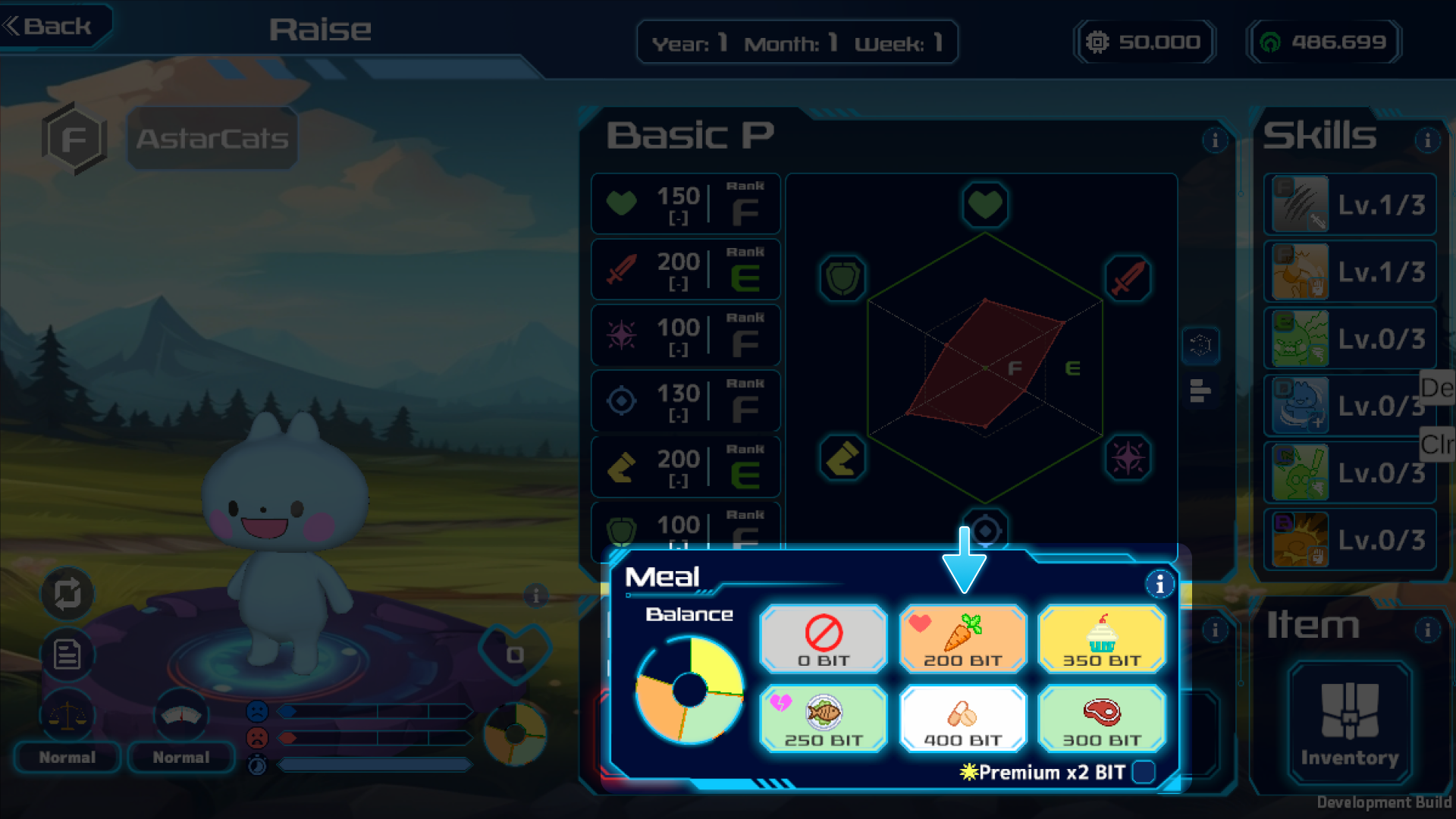
1. Select Meal

<figure><img src="/files/FuN96hweyXE5HloW2ugZ" alt=""><figcaption></figcaption></figure>

<figure><img src="/files/TMaGlSvqY5uUImGnn2Gf" alt=""><figcaption></figcaption></figure>

2. Select Action(Basic training was selected this time)

<figure><img src="/files/5bwK4CnLG1NUFg0Qy8s5" alt=""><figcaption></figcaption></figure>

<figure><img src="/files/lvY6cOhZmV8vU3z5GOgG" alt=""><figcaption></figcaption></figure>

3. Run

<figure><img src="/files/xPQp9hoZ40wcmZc5XJCL" alt=""><figcaption></figcaption></figure>

<figure><img src="/files/7H5pZTk0ohigqSlqDzOl" alt=""><figcaption></figcaption></figure>

{% content-ref url="/pages/JOTNc6wO8eYUkbvjUye0" %}
[Raise](/play-guide/open-beta/raise.md)
{% endcontent-ref %}

## 4. Participating in Tournaments

1. Select the tournament you wish to participate in from the right side of the Farm screen

<figure><img src="/files/mXNiZMln8icOZTOoRgyW" alt=""><figcaption></figcaption></figure>

2. Select a Monster to participate

<figure><img src="/files/0gy8UHIFVvDCgw5Q0Ekh" alt=""><figcaption></figcaption></figure>

3. Start the battle

<figure><img src="/files/2yDdi4mWgsfPSRxSscXM" alt=""><figcaption></figcaption></figure>

{% content-ref url="/pages/0hwDU1RyDnBXuDk0pxZj" %}
[Tournament(PvE)](/play-guide/open-beta/farm/tournament-pve.md)
{% endcontent-ref %}

{% content-ref url="/pages/w6DQaG1i61qVWZ2O7Mzb" %}
[Battle](/play-guide/open-beta/battle.md)
{% endcontent-ref %}


---

# Agent Instructions: Querying This Documentation

If you need additional information that is not directly available in this page, you can query the documentation dynamically by asking a question.

Perform an HTTP GET request on the current page URL with the `ask` query parameter:

```
GET https://docs.remonster.world/play-guide/open-beta/tutorial.md?ask=<question>
```

The question should be specific, self-contained, and written in natural language.
The response will contain a direct answer to the question and relevant excerpts and sources from the documentation.

Use this mechanism when the answer is not explicitly present in the current page, you need clarification or additional context, or you want to retrieve related documentation sections.