> For the complete documentation index, see [llms.txt](https://docs.remonster.world/llms.txt). Markdown versions of documentation pages are available by appending `.md` to page URLs; this page is available as [Markdown](https://docs.remonster.world/japanese/play-guide/open-beta/tutorial.md).
# Tutorial
ここでは、基本進行である以下の操作手順を解説します。
1. Monsterの入手
2. FarmとMonsterの配置
3. Monsterの育成
4. 大会に参加
各画面の詳細はそれぞれのページをご覧ください。
{% hint style="info" %}
本ページの内容はゲーム内のチュートリアルと同様の内容です。
{% endhint %}
## 1. Monsterの入手
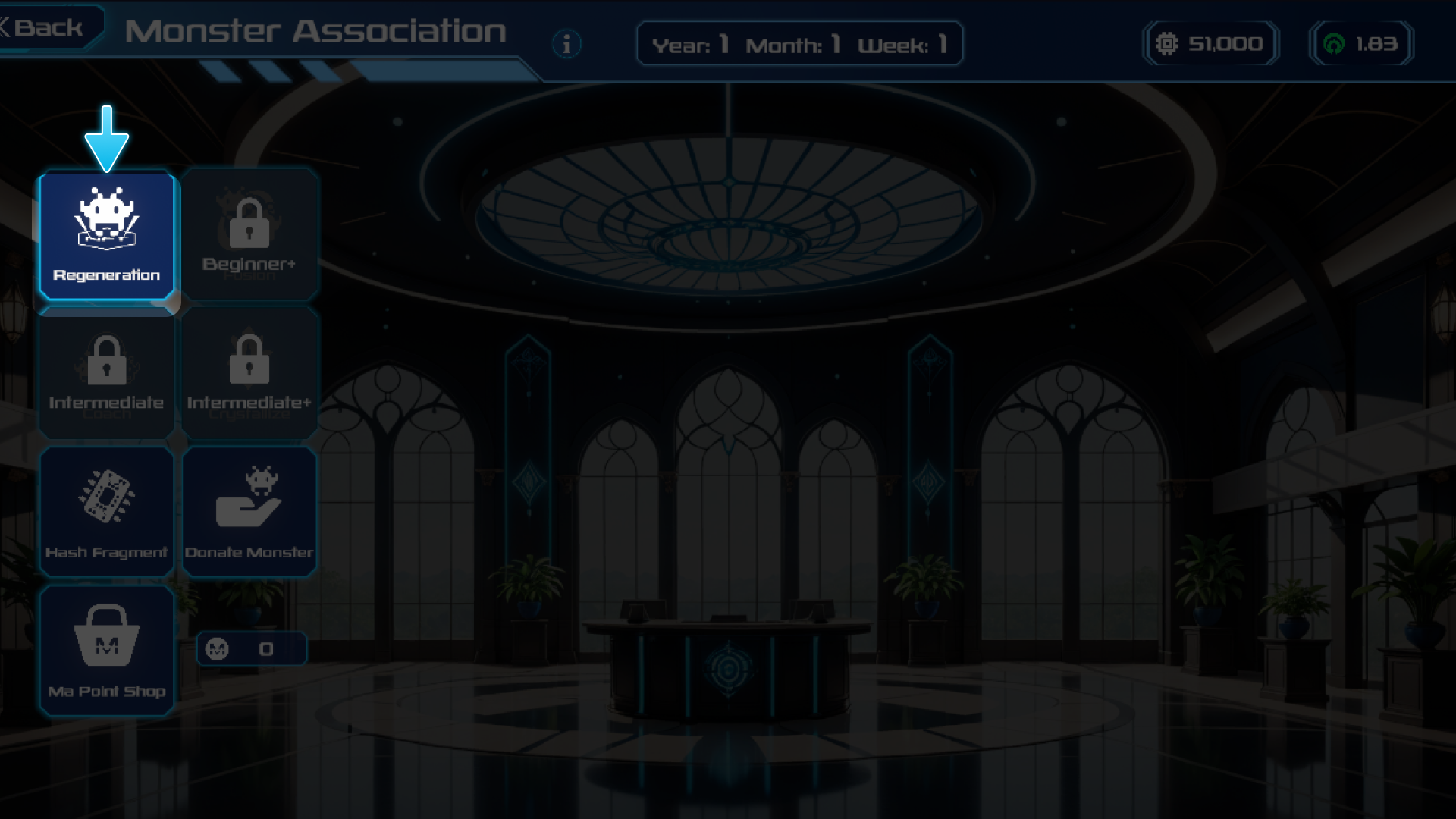
1. Monster協会へ移動
 2. 再生(Regeneration)を選択
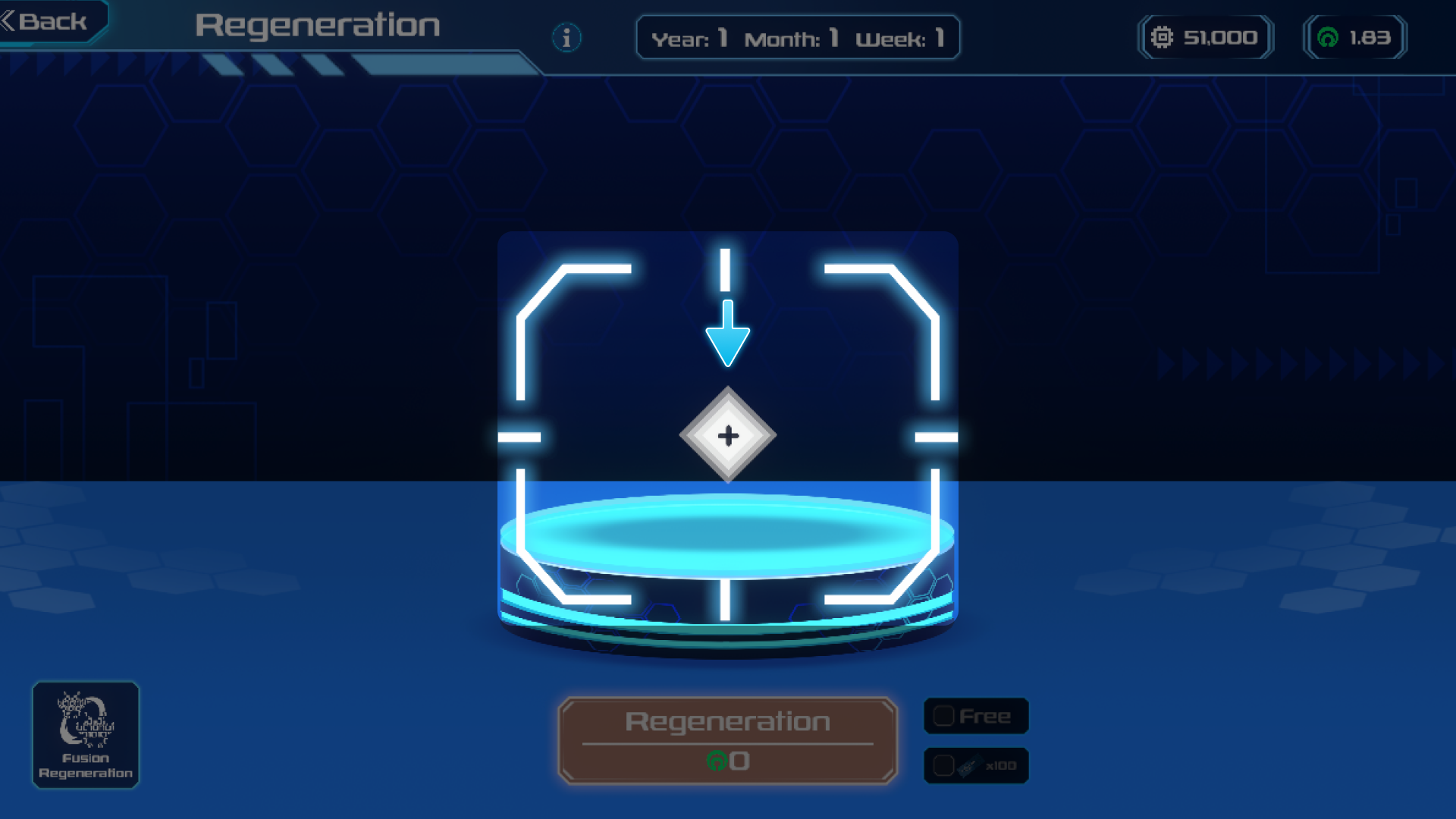
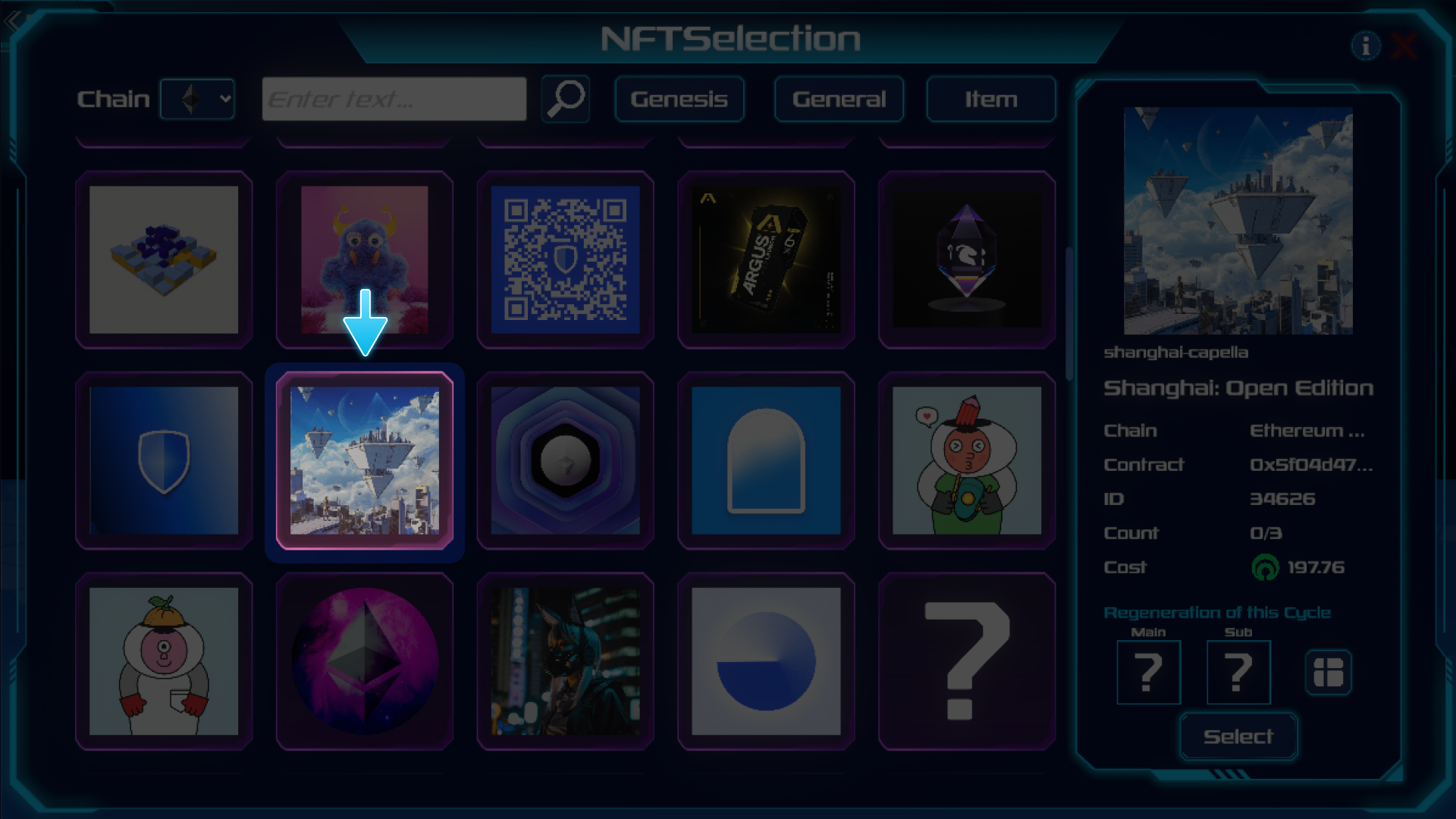
 3. 再生元を選択
* 持っているNFTが無い場合はRandam Hashを選択可能
* Genesis HashやGeneral Hashを使用する場合は上部のボタンを選択
3. 再生元を選択
* 持っているNFTが無い場合はRandam Hashを選択可能
* Genesis HashやGeneral Hashを使用する場合は上部のボタンを選択
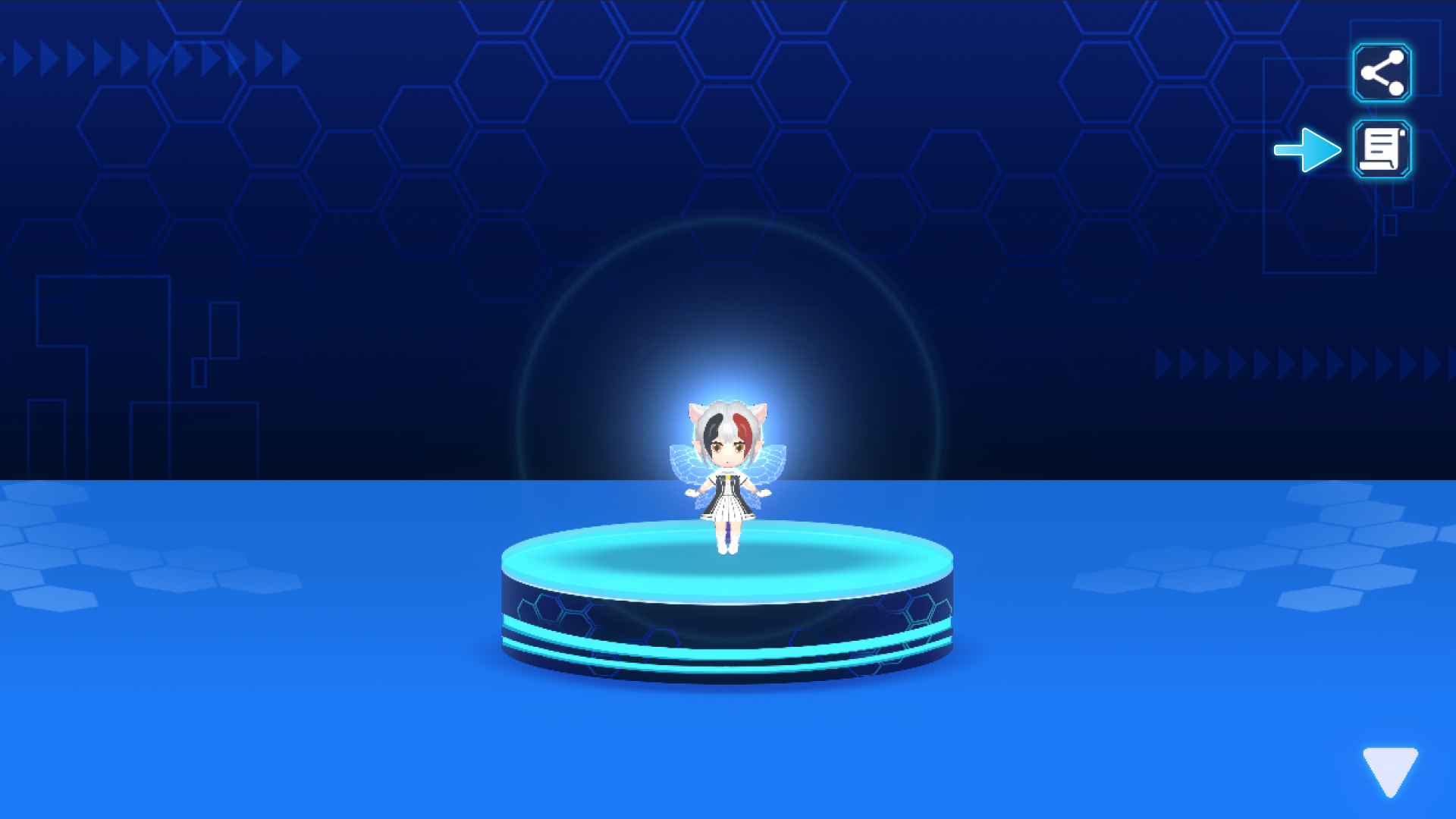
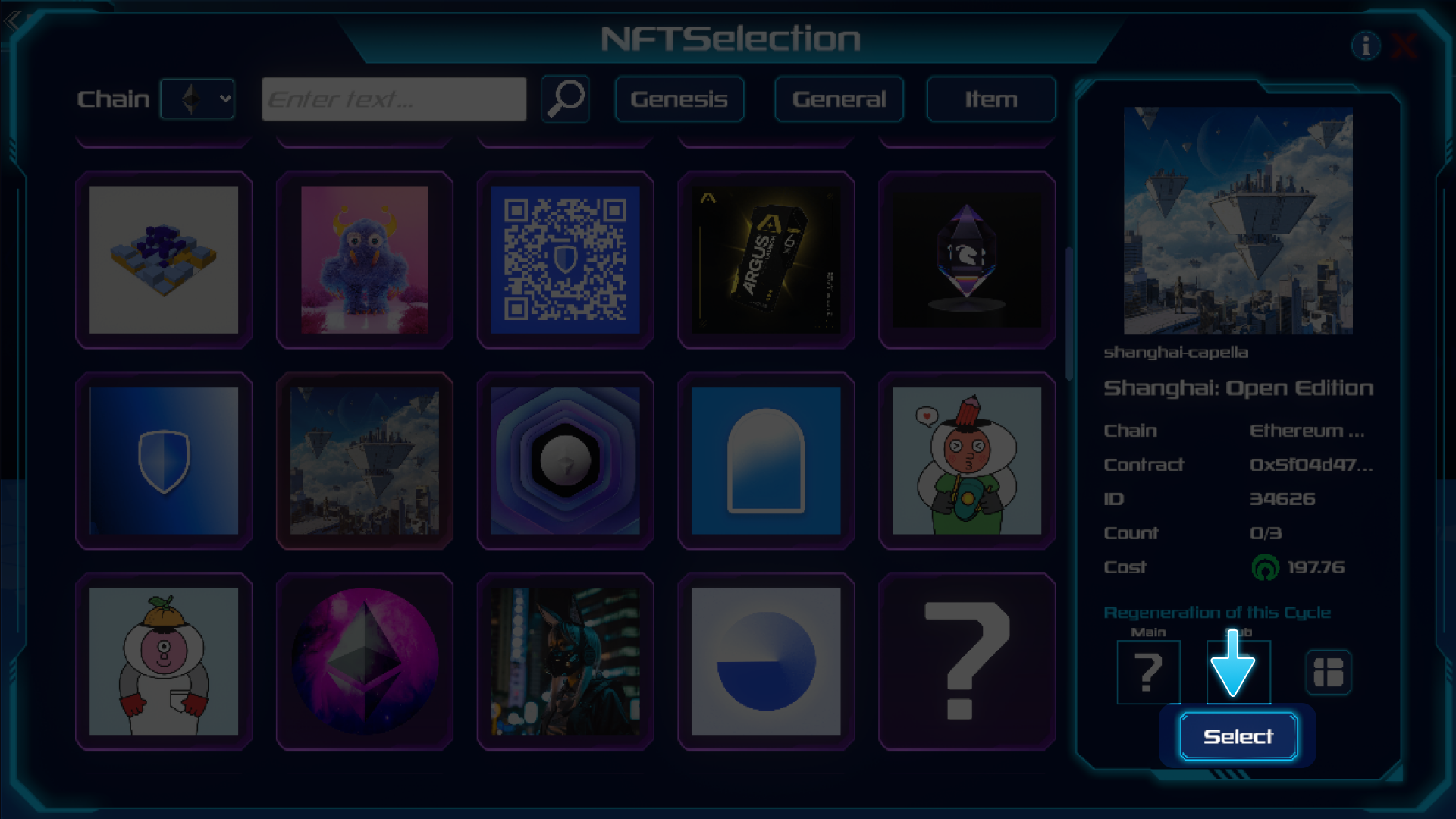 4. 再生を実行

 5. 生まれたMonsterの詳細は右上のボタンから確認可能
 {% content-ref url="/pages/u2Y8ac2uMbowQ0Xmq4qq" %}
[再生](/japanese/play-guide/open-beta/monster-xie-hui/zai-sheng.md)
{% endcontent-ref %}
## 2. FarmとMonsterの配置
1. Farmへ移動
{% content-ref url="/pages/u2Y8ac2uMbowQ0Xmq4qq" %}
[再生](/japanese/play-guide/open-beta/monster-xie-hui/zai-sheng.md)
{% endcontent-ref %}
## 2. FarmとMonsterの配置
1. Farmへ移動
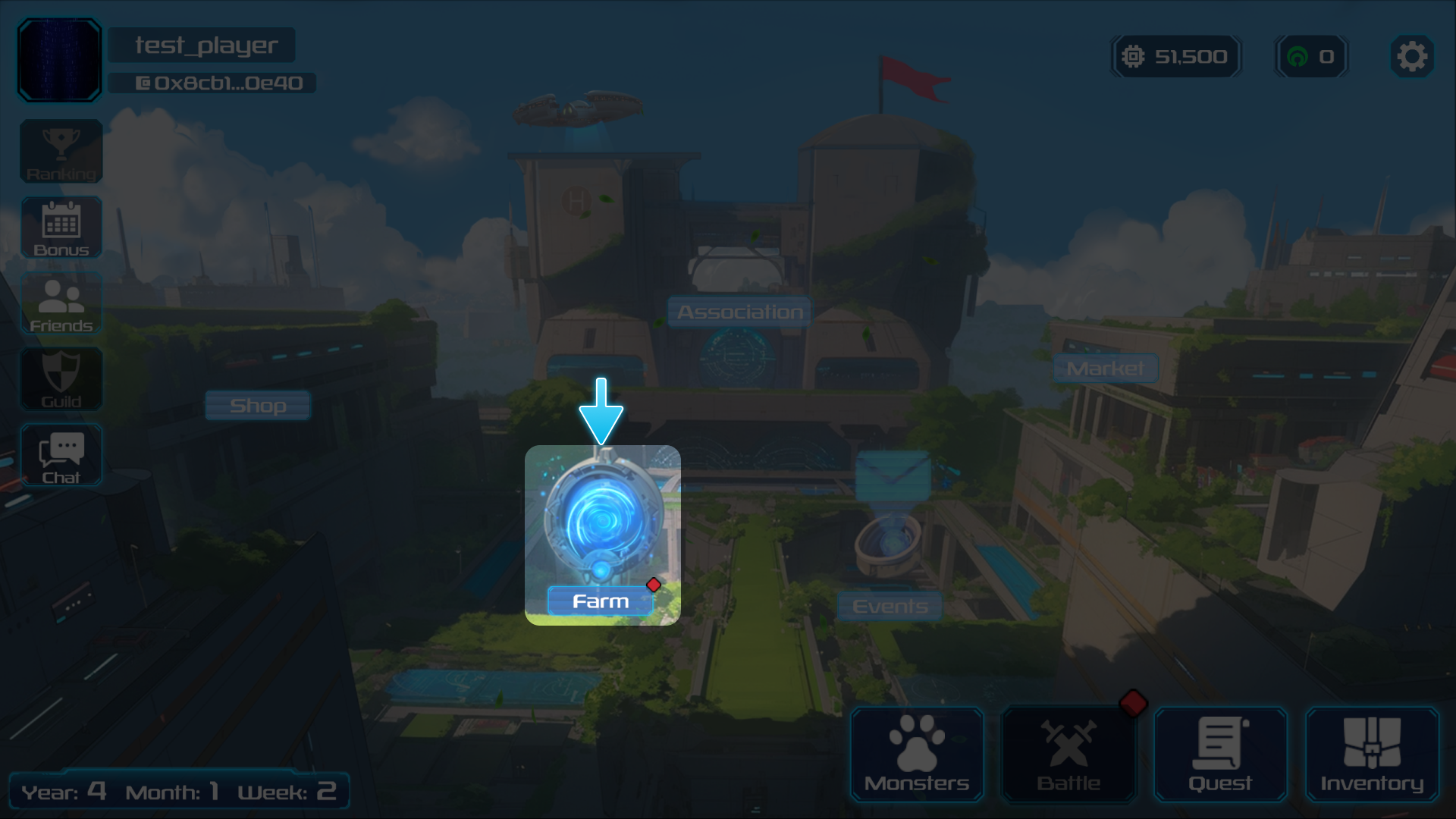 2. 設置するFarmを選択

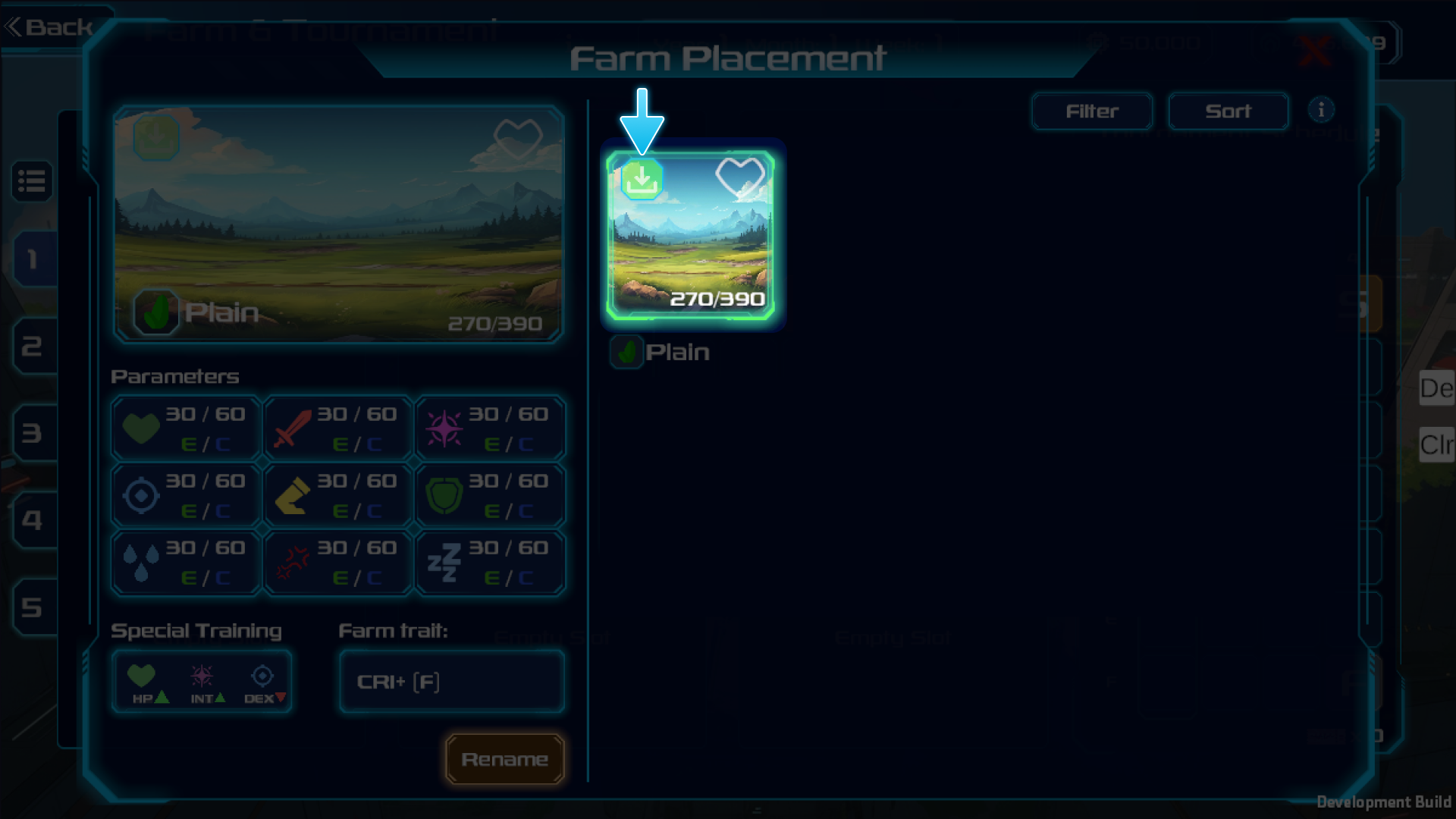 3. Monsterを配置

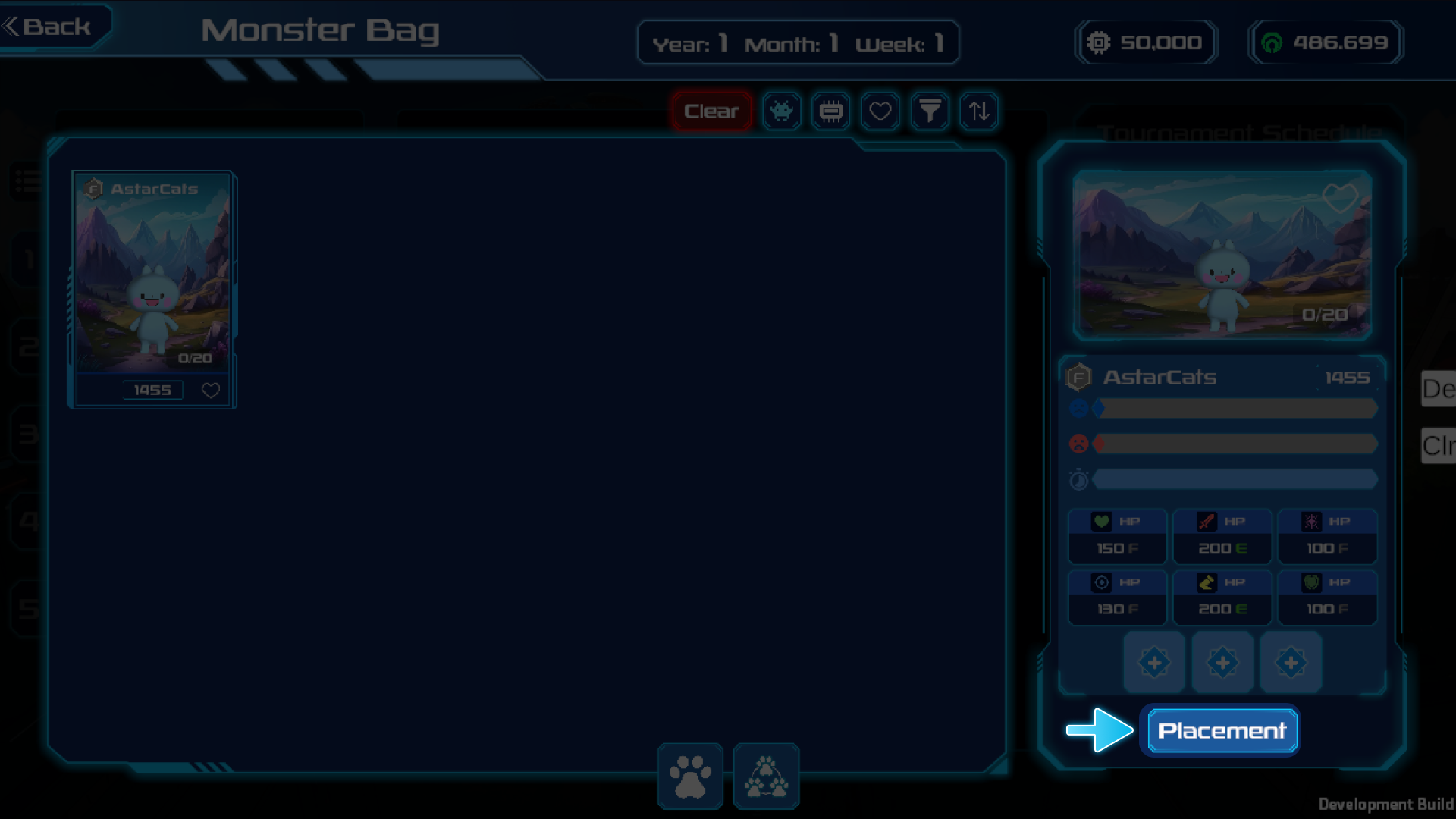 4. 育成画面へ移動
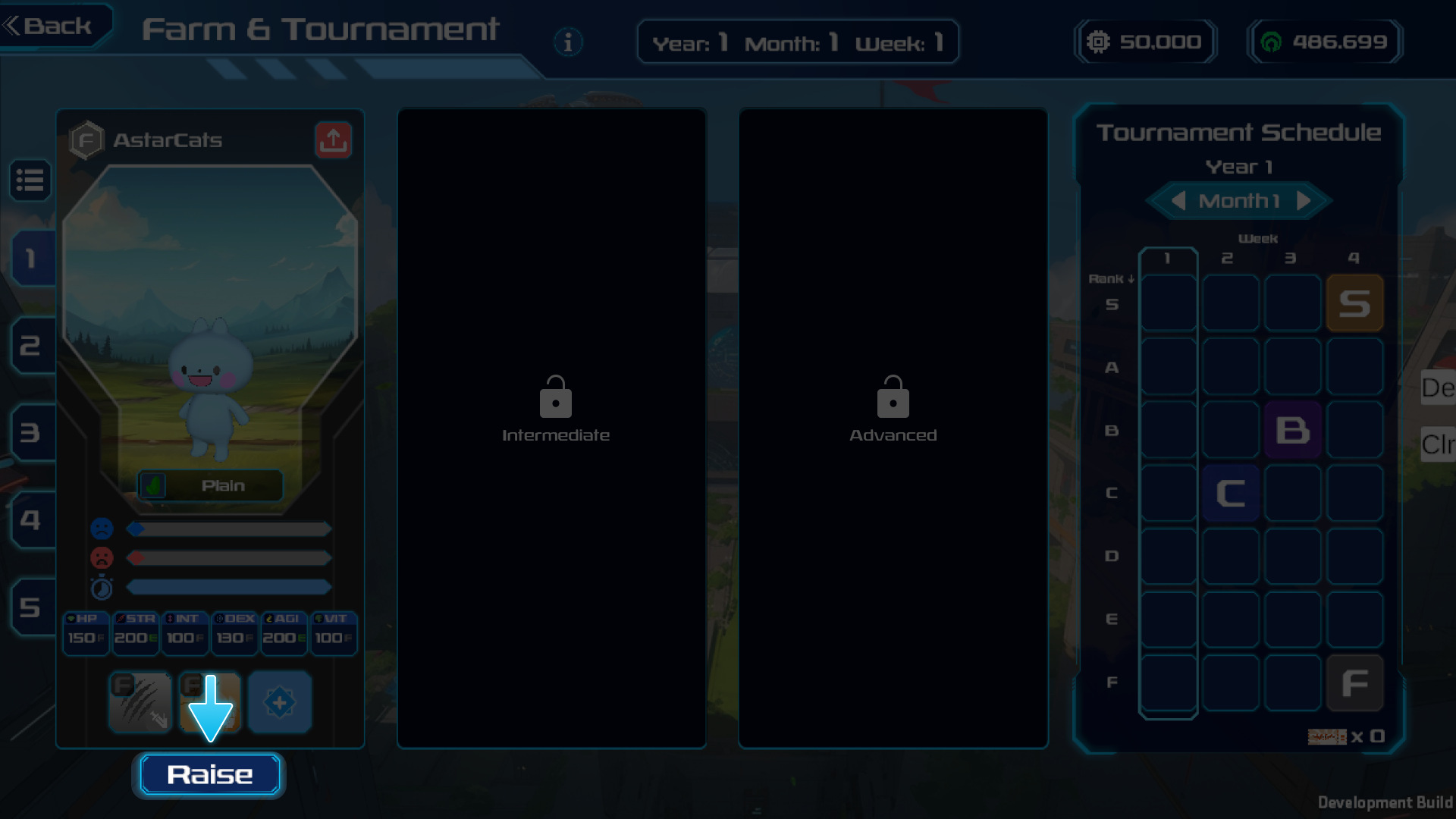 {% content-ref url="/pages/RYAeDATl8uzebgllqeF4" %}
[Farm](/japanese/play-guide/open-beta/farm.md)
{% endcontent-ref %}
## 3. Monsterの育成
1. 食事を選択
{% content-ref url="/pages/RYAeDATl8uzebgllqeF4" %}
[Farm](/japanese/play-guide/open-beta/farm.md)
{% endcontent-ref %}
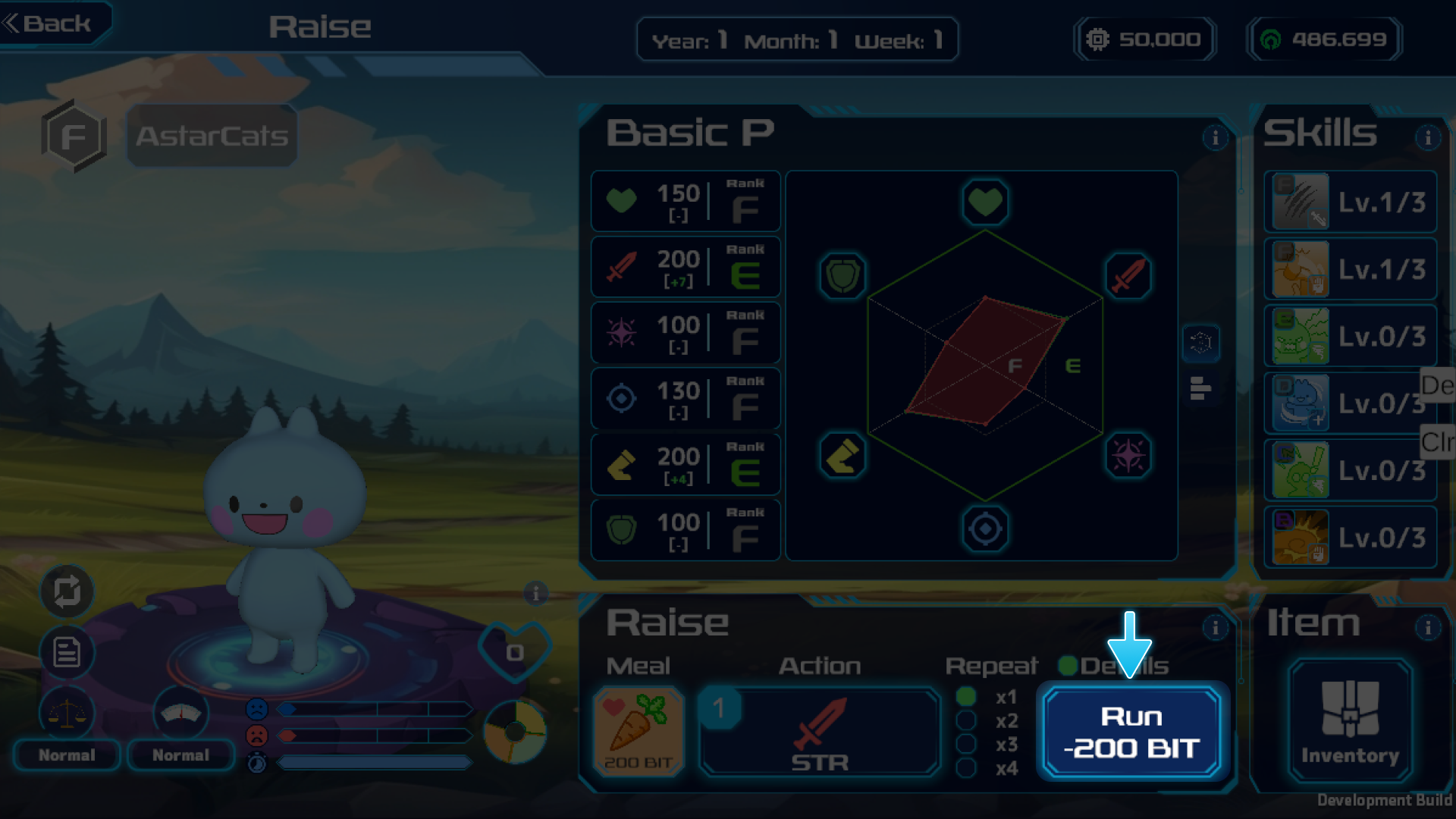
## 3. Monsterの育成
1. 食事を選択
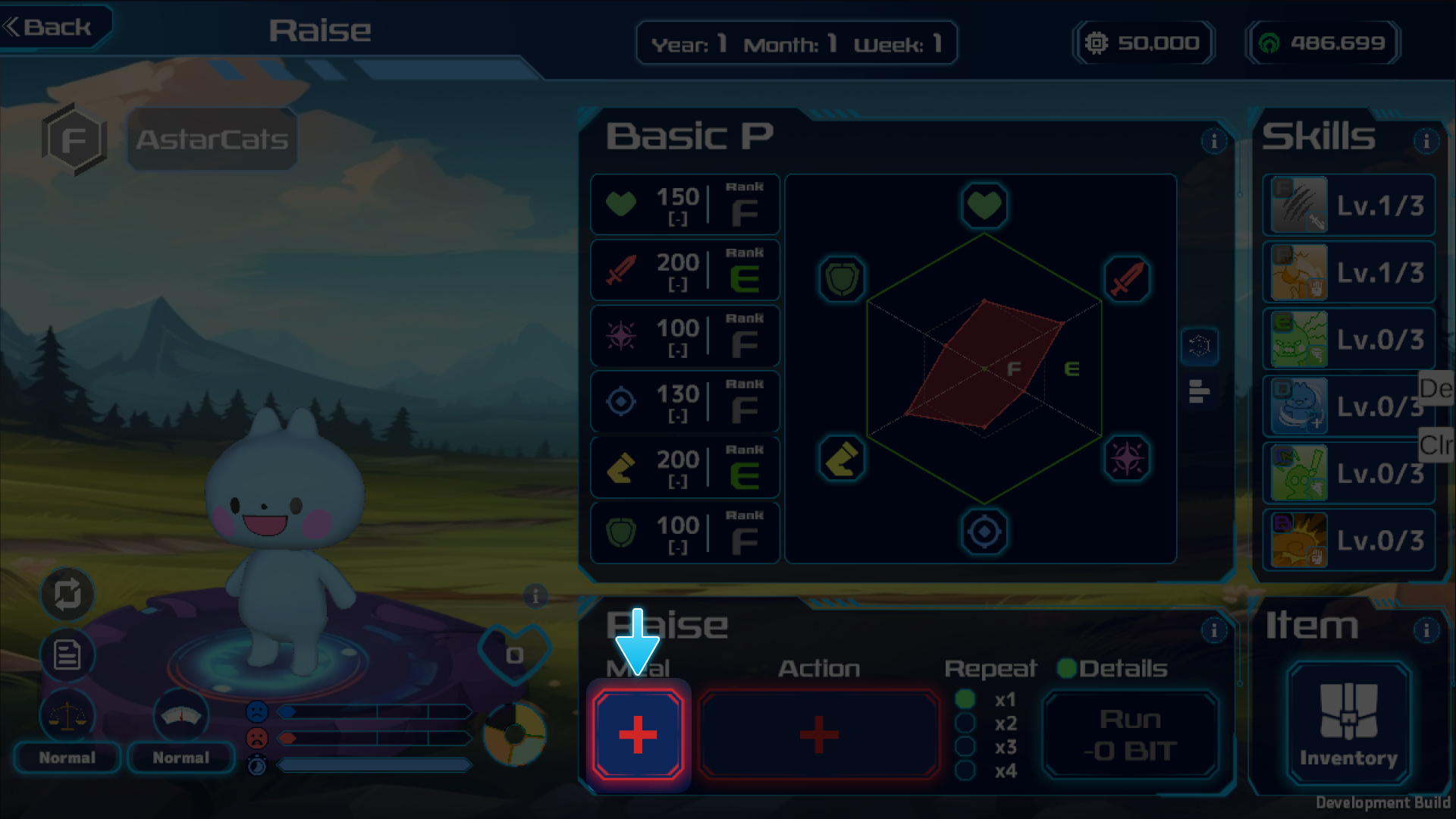
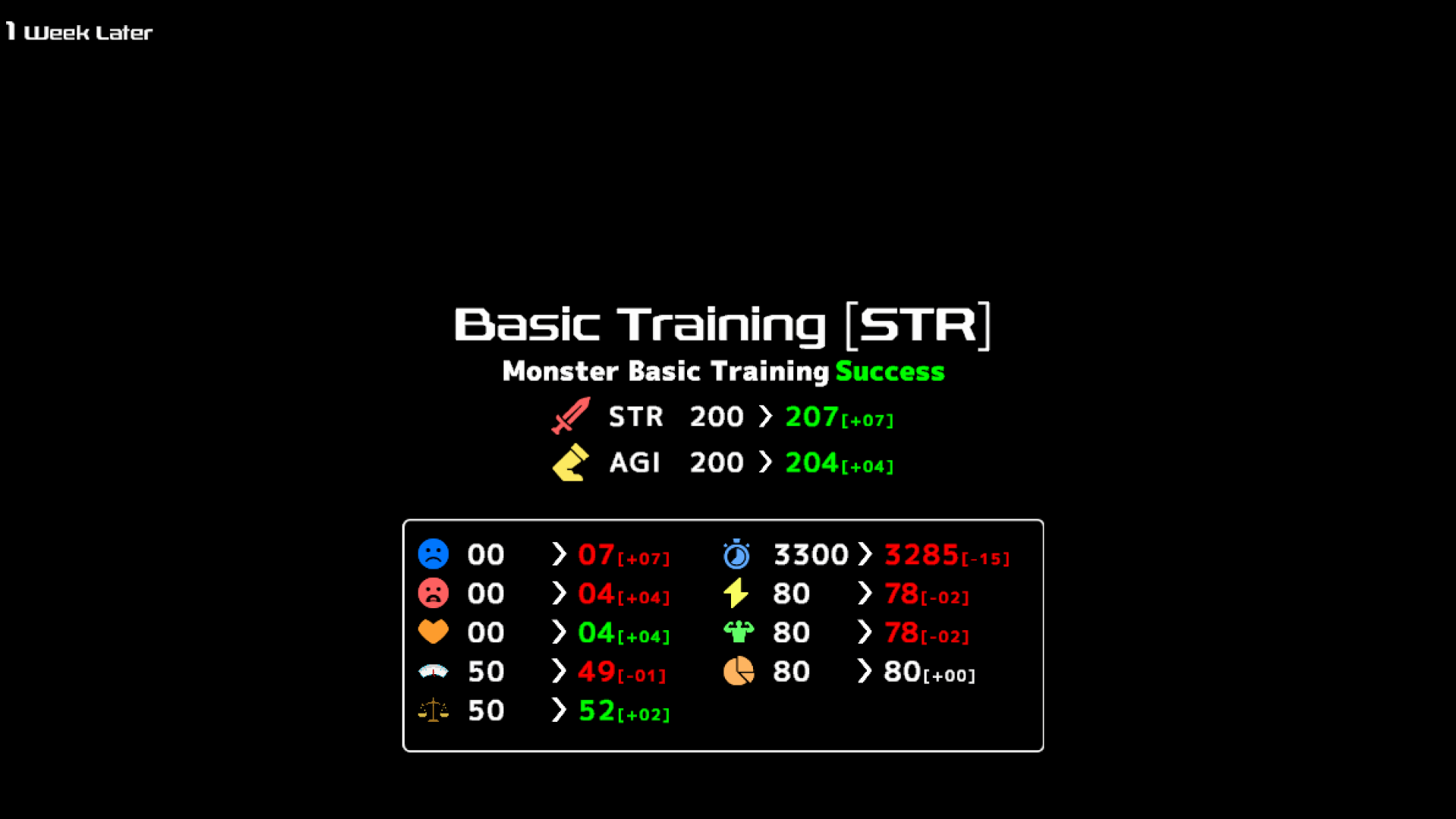
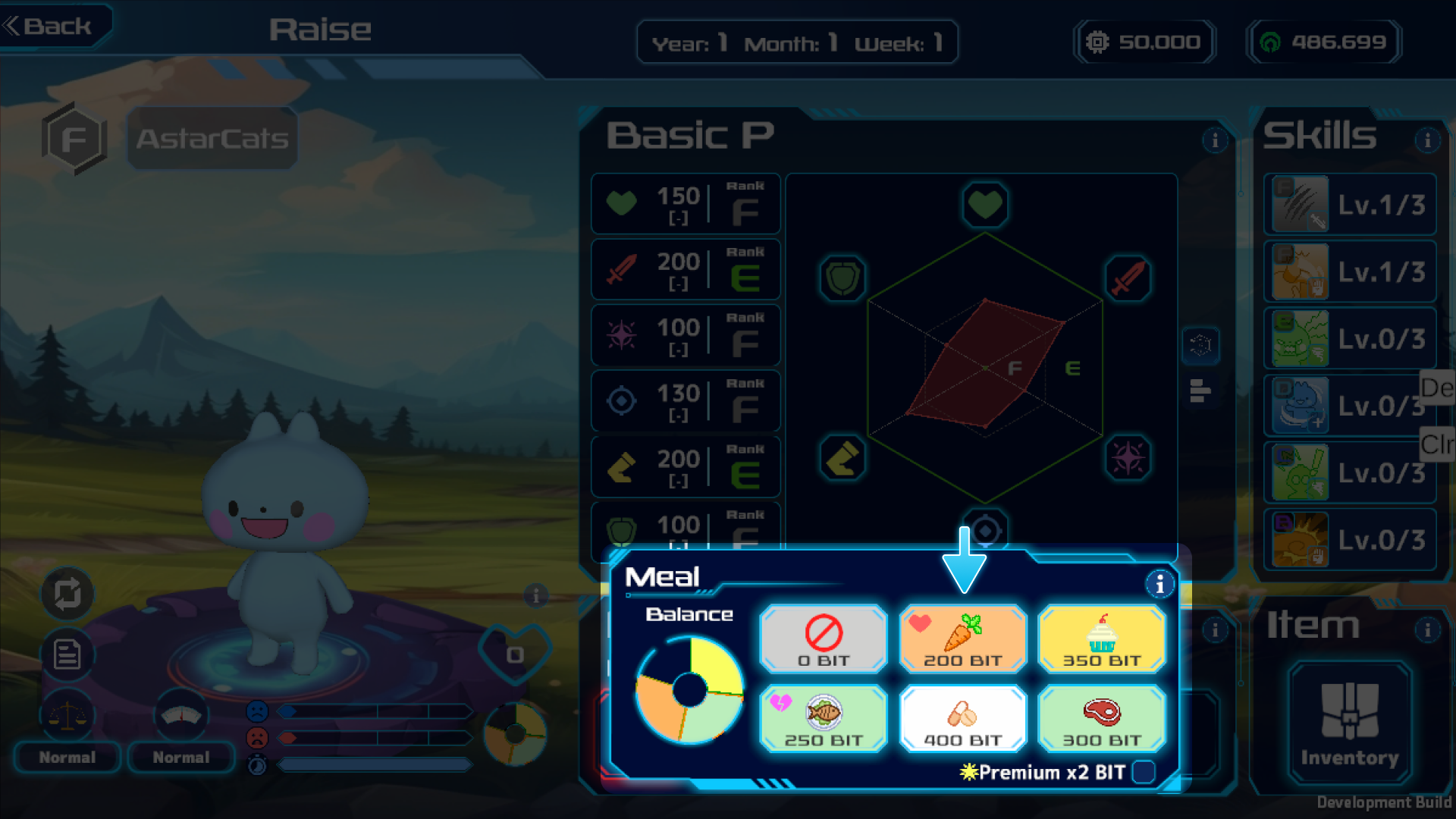 2. アクションを選択(今回は基本トレーニングを選択)
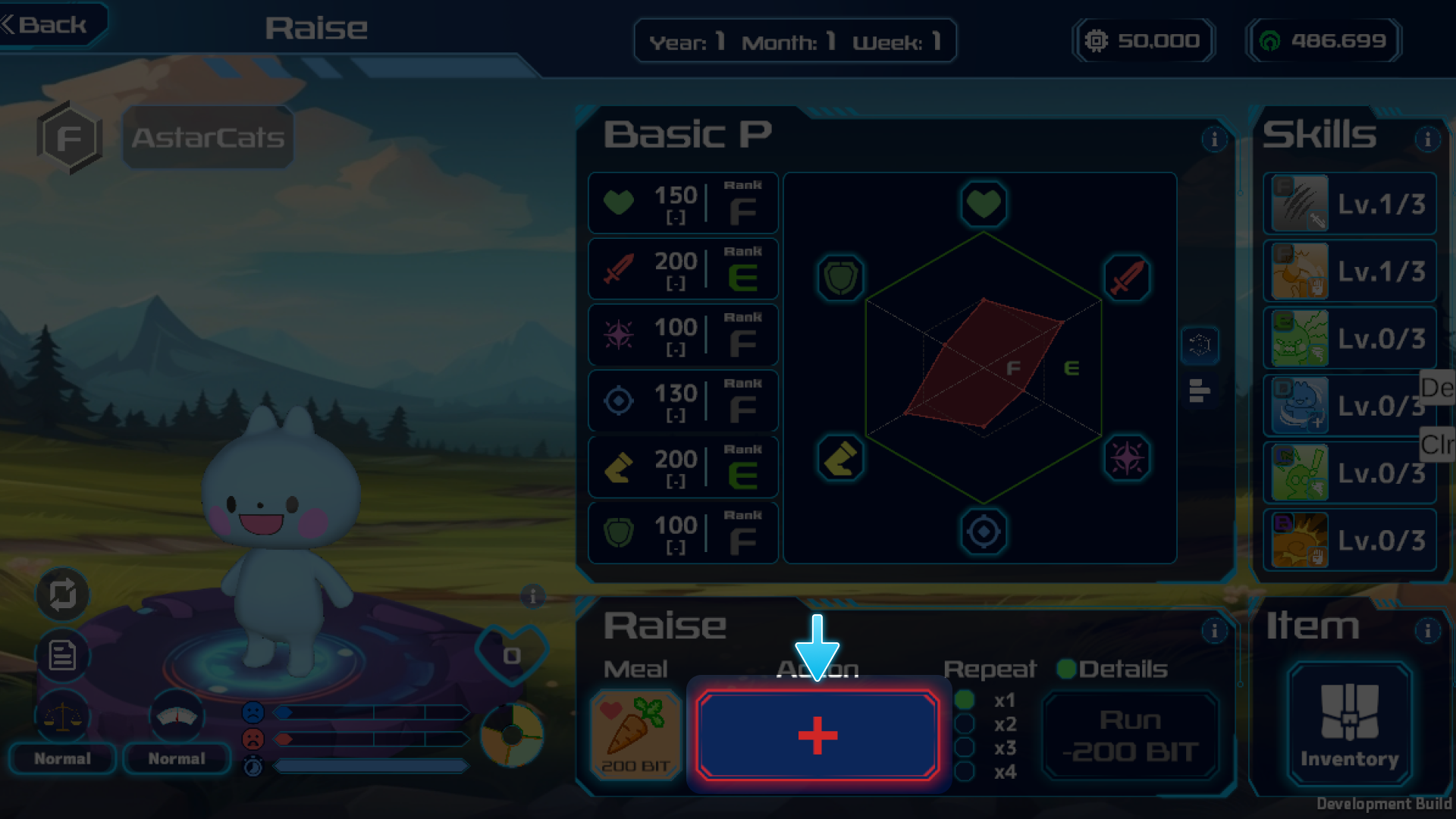
 3. 実行
3. 実行
 {% content-ref url="/pages/12q5lkpQ9CIwNniWSfXQ" %}
[育成](/japanese/play-guide/open-beta/yu-cheng.md)
{% endcontent-ref %}
## 4. 大会に参加
1. Farm画面右側から参加したい大会を選択
{% content-ref url="/pages/12q5lkpQ9CIwNniWSfXQ" %}
[育成](/japanese/play-guide/open-beta/yu-cheng.md)
{% endcontent-ref %}
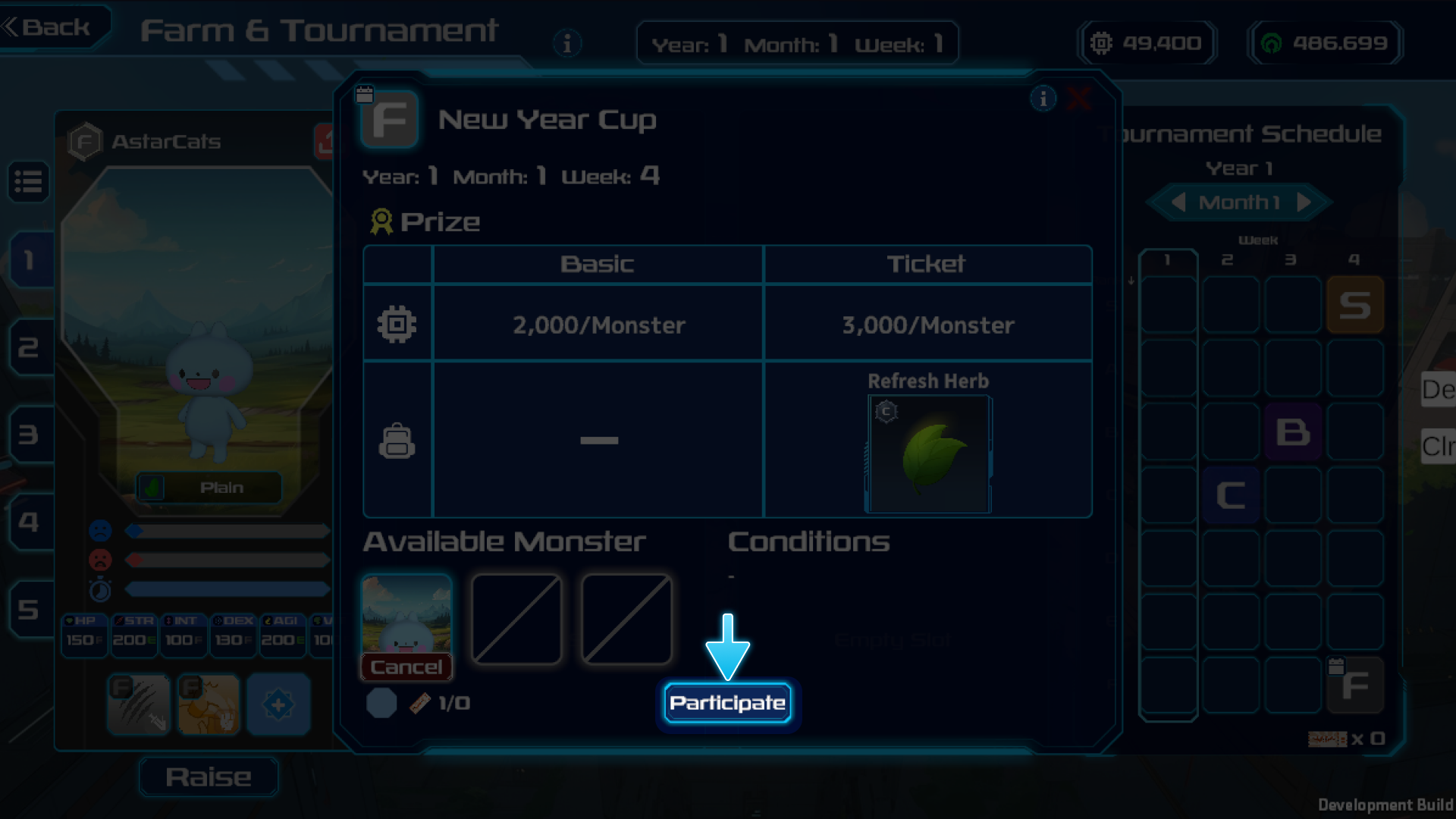
## 4. 大会に参加
1. Farm画面右側から参加したい大会を選択
 2. 参加させるMonsterを選択
 3. バトル開始
 {% content-ref url="/pages/hi809L37Nh0KHNYitctS" %}
[Tournament(PvE)](/japanese/play-guide/open-beta/farm/tournament-pve.md)
{% endcontent-ref %}
{% content-ref url="/pages/fBg4aHfkADtVlSrv2qZ6" %}
[Battle](/japanese/play-guide/open-beta/battle.md)
{% endcontent-ref %}
{% content-ref url="/pages/hi809L37Nh0KHNYitctS" %}
[Tournament(PvE)](/japanese/play-guide/open-beta/farm/tournament-pve.md)
{% endcontent-ref %}
{% content-ref url="/pages/fBg4aHfkADtVlSrv2qZ6" %}
[Battle](/japanese/play-guide/open-beta/battle.md)
{% endcontent-ref %}